
Did you know that every scalable business needs a website that performs well? At the heart of that performance lies your hosting. While a weak one slows down everything – choosing the best website hosting for your blog or businesses ensures security, uptime and even helps you rank better on search engines like Google.
I’ve been designing & managing websites for 12 years. Since 2013, I’ve tested more than 25 hosting providers—and I know exactly which ones are worth trusting and which ones to avoid. My goal here is to save you from years of trial and error by pointing you straight to the hosting providers you can truly trust.
We’ll discuss –
- What is Hosting and why selecting the right one matters?
- Things to check before you pick a hosting.
- What are different types of hosting?
- What hosting plan and providers to avoid?
- Essential features to check before you buy.
- My Top Hosting Picks for Your Website.

What is Hosting and Why Choosing the Right One Matters?
When you build a website, you need two things – Domain & Hosting. Domain is your website address like – yourwebsite.com and hosting is the backbone that keeps your website online and accessible. Without hosting, your domain is just an empty address.
So if you ask – “Do I need hosting for my website?“, then the answer is – Yes, Hosting is essential for your website, whether it’s a blog, business site, or e-commerce store.
Why The Right Hosting Matters?
Before choosing a hosting plan for your website, it’s important to ask the right questions, such as – Which hosting is best for my small business? Which provider is most reliable for SaaS projects? Should I choose Shared Hosting or upgrade to VPS?
These questions help you pick the best hosting for your website, and that really matters.
The right hosting plan protects every lead, sale, and inquiry from being lost. It guarantees uninterrupted service for users, which directly impacts trust and long-term growth.
Simply put : your business success depends on your website’s availability, and your website’s availability depends on your hosting.

Things to Know Before You Pick the Best Hosting
When it’s about picking the right hosting for your website – don’t rush. You may end up buying that’s not valuable for you and switching hosting is actually frustrating. So, first learn which one is best hosting for your business, blog or portfolio and then go for it.
Here are few points to consider before making any decision so that you do not face downtime or unexpected costs later.
1. Identifying Your Website
You may be creating a blog, a portfolio, a business or a SaaS website. But knowing this much is not enough. This is the purpose behind having your website, not merely helps you in finding the right hosting.
Let me simplify this for you. I’ll ask you three questions that will instantly clear things up –
- What is Your Website About?
- What Are Your Expectations from the Website?
- How Are You Building It?
What is Your Website About?
Most of you will be able to answer this – The website you are creating is a blog, portfolio or a business website. Then, what is the industry of your website? For example – travel, education, SaaS, healthcare, fashion, real estate, e-commerce, entertainment, etc. Make a list of features your niche website should have (adding now or later) and cross-check with hosting providers to ensure they can support every feature you require.
What Are Your Expectations from the Website?
Before building a website you must be clear about the expectations. Like – What will be the daily active users rate? How likely is my website expected to receive sudden traffic? Will I be running campaigns in future? How many automatic emails & notifications will the website be sending in an hour & daily? Will my website update its content or user activity daily (like purchases, sign-ups, or shares)?
Based on these questions, you need to check bandwidth, cache, security, email configuration, etc. from the hosting provider before buying.
How Are You Building It?
The technology stack or platform you use also impacts hosting choice. For example, most website developers go with Linux hosting as it’s widely supported, affordable, and optimized for PHP/MySQL. If you’re using .NET or ASP, Windows hosting is the better option. Many Content Management Systems (CMS) offer their own managed hosting for better performance and reliability. For example, Shopify provides hosting for online stores, WordPress.com offers hosting for blogs and websites.
2. Where is Your Target Audience or Clients Located?
Knowing where your target audience or clients are located is very important before buying hosting because it directly affects website speed and user experience.
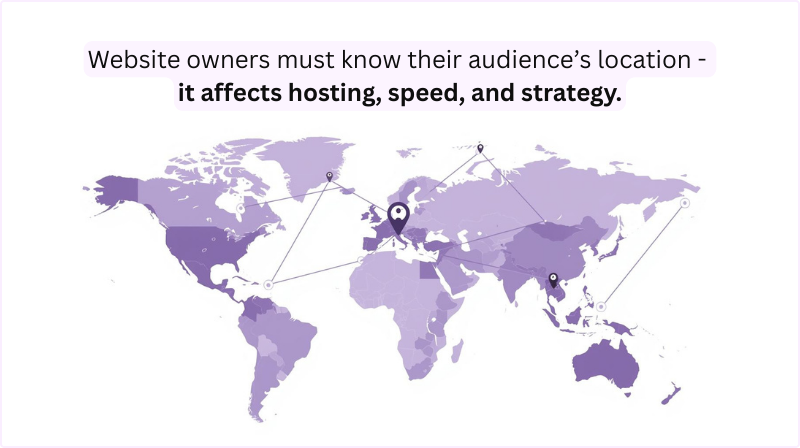
Every hosting provider stores your website on data centers. If your customers are in Asia but your data is hosted in the US, the response time will slow down. Choosing data centers closer to your audience ensures faster speed and better user experience. In short – Server location affects your website speed. The closer the data center is to your audience, the faster your website performs.
If your website receives worldwide traffic – use CDN (Content Delivery Network) to deliver content quickly everywhere.
3. Your Expected Traffic & Growth Plans
Traffic refers to the number of visitors your site receives. The more visitors you expect, the more resources & bandwidth your hosting will require. So, before you choose a hosting plan, you should estimate your expected website traffic – both current and future.
Running out of resources can cause your site to slow down or even crash.
Does it mean that every time your website traffic goes up, you need to switch to a new web hosting?
Well, No! What you need is a hosting that is scalable. If your current plan is not able to handle current traffic, functionality, etc., your hosting plan should be easily upgraded giving you more flexibility to grow without worries.
Also, keep in mind that sudden spikes in traffic – like from viral content or a big sale can overwhelm cheap hosting. If you expect high traffic fluctuations, look for hosting with elastic resources or cloud-based infrastructure.
Planning for growth ensures your site remains stable, loads quickly, and delivers a smooth experience for every visitor – no matter how popular it becomes.
Different Types of Hosting for Your Website
1. Shared Hosting
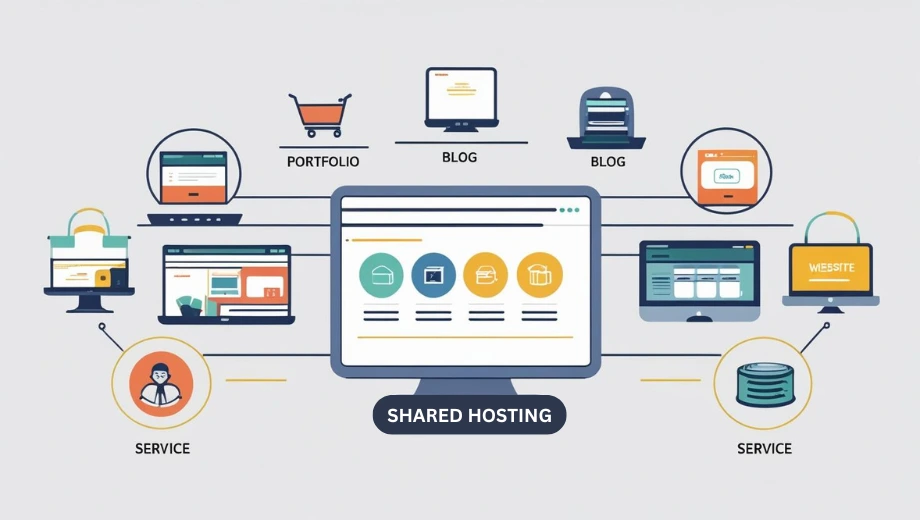
Shared hosting is the hosting where multiple websites share the same server resources – like RAM, CPU, and storage.
It’s the most popular type of hosting, especially for those who are just starting because it’s affordable and easy to setup. No doubt, that’s why Shared hosting is the best hosting for small business & portfolio websites in 2025.
What kind of websites can be hosted on shared hosting?
You can use shared hosting for :
- Personal blogs
- Portfolio websites
- Small business sites
- Landing pages
- Low-traffic e-commerce stores
- Informational or brochure-style websites
2. VPS Hosting
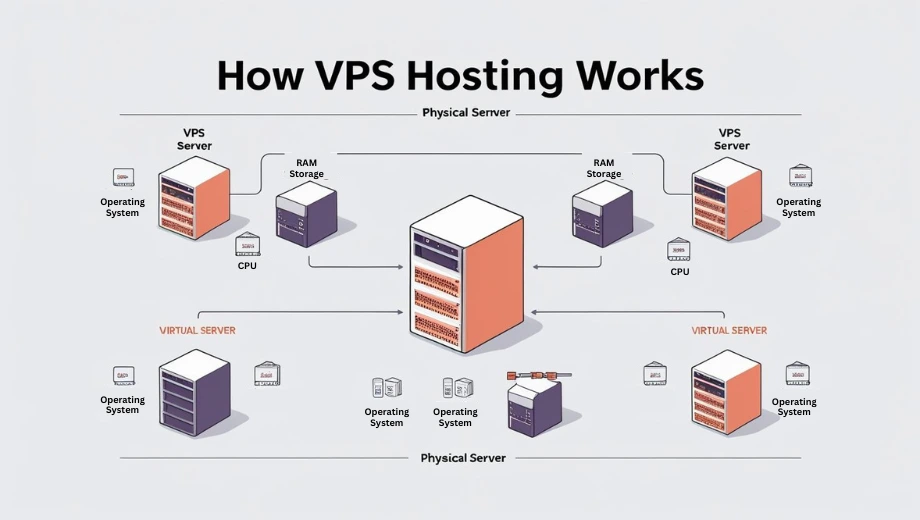
VPS (Virtual Private Server) hosting is a type of web hosting where a single physical server is divided into multiple virtual servers. Each virtual server operates independently, giving you more control and dedicated resources like CPU, RAM, and storage – unlike shared hosting.
When to choose VPS Hosting?
Many users ask : “Do I really need VPS hosting?, Is VPS hosting worth in 2025?”
Well, Yes if –
- you are building a business on larger scale and you are expecting high traffic, go for VPS Hosting instead of Shared Hosting.
- your current plan is shared, but your website is seeing more traffic, need better performance, or want more control – VPS is your next step.
You should consider VPS hosting for :
- Medium to high-traffic blogs or business websites
- Growing e-commerce stores
- Web applications that require specific configurations
- Sites handling sensitive data (with proper setup)
- Agencies hosting multiple client websites
3. Cloud Hosting
Cloud hosting is best for high traffic websites. It is a type of web hosting where your website’s data is stored across multiple interconnected servers (called the cloud) rather than on a single physical server.
Data is stored on multiple servers in cloud hosting to ensure high availability, faster performance, and automatic failover if one server fails. This setup improves reliability, scalability, and security.
Key Features of Cloud Hosting :
- Scalability :
Instantly increase or decrease resources like bandwidth, storage, or processing power based on your traffic needs. - High Uptime & Reliability :
If one server fails, another automatically takes over. This ensures your website stays live and fast. - Pay as you go :
You only pay for the resources you actually use—making it cost-effective for growing websites. - Improved Performance :
Data is served from the nearest available server, reducing load times and improving the user experience. - Security:
Cloud hosting comes with advanced security features like data mirroring, firewalls, and backups across servers.
4. Dedicated Hosting
Dedicated hosting is for large enterprises, streaming platforms, banks, etc. If you’re a SaaS Company or running a large online store with high traffic, dedicated server hosting for ecommerce websites ensures maximum speed, security, and control.
Dedicated hosting means your website gets an entire physical server just for itself. Unlike shared or VPS hosting, you don’t share resources like RAM, CPU, or bandwidth with anyone else.
Key Features :
- Exclusive Resources :
One server, fully yours — better performance and security. - High Performance :
Ideal for websites with heavy traffic or advanced applications. - Full Control :
You can customize the server to meet your exact needs. - Enhanced Security :
No sharing means reduced risks of malware from others. - Scalability :
Easily upgrade hardware based on your growing needs.
5. Managed WordPress Hosting
Managed WordPress hosting is a hosting service designed exclusively for WordPress websites. It comes with built-in support, tools, and optimizations to help your site run faster, more securely, and with fewer technical headaches.
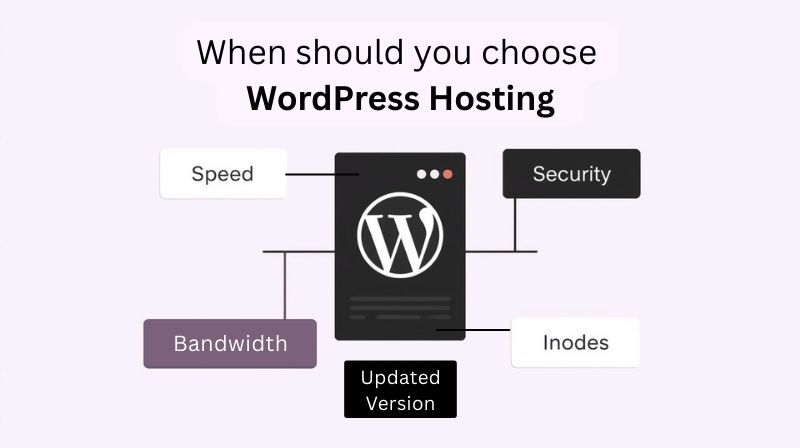
Choosing between WordPress Hosting and cPanel Hosting is a classic confusion among buyers.
Let’s make it simple and easy to understand with these questions :
Q1. Is cPanel Hosting the Same as WordPress Shared Hosting?
Not exactly. Managed WordPress hosting is designed for performance, security, and ease of use, unlike cPanel or regular shared hosting where you need to handle updates, backups, and optimization yourself.
Q2. Will there be any issue if I use cPanel hosting for WordPress?
You can definitely run WordPress on cPanel hosting, but if you compare WordPress Hosting vs cPanel Hosting, managed hosting clearly wins in speed, security, and support.
Q3. How is Managed WordPress Hosting better for my WordPress Website?
If you want hassle-free performance, automatic updates, and expert support, yes. If you’re tech-savvy and prefer more control, cPanel hosting might work fine. In managed hosting, the hosting provider takes care of :
- Server management
- WordPress updates
- Daily backups
- Security monitoring
- Performance optimization
This means you can focus on growing your site while the technical stuff is handled for you.
Managed WordPress hosting can run on shared, VPS, or dedicated infrastructure, depending on the provider and plan.
Who Should Use Managed WordPress Hosting?
Managed WordPress hosting is ideal for:
- Bloggers & content creators who want peace of mind
- Businesses that rely on WordPress for sales or leads
- Non-technical users who don’t want to manage servers
- Agencies managing client WordPress websites
Quick Comparison of Hosting Types
| Hosting Type | Best For | Pros | Cons | Avg Cost |
|---|
| Shared | Beginners, blogs | Cheap, easy setup | Limited resources | $2–$5/mo |
| VPS | Growing sites | More control, scalable | Needs setup knowledge | $10–$30/mo |
| Cloud | Scaling sites | Reliable, pay-as-you-go | Can get costly | $20+/mo |
| Dedicated | Large businesses, high-traffic sites | Full control, top performance | Expensive, needs technical skills | $80–$300/mo |
| WordPress | Bloggers, small businesses using WP | Optimized for WordPress, easy management | Limited to WP sites only | $5–$20/mo |
What Hosting Plan and Providers to Avoid?
1. Avoid Free Web Hostings
Many hosting providers will claim to sell a free hosting. But nothing in this world is free, except advice :D. So take this one.
Never go for a free hosting. Hosting providers have to pay a lot to maintain a best performing server for their users but if they claim to be free, they can’t actually. They may try but can affect your website performance and security. Believe me your website will face downtime more often. This affects your ranking on search engines.
Additional to this, they will run Ads and bug your site to make money and in worst scenario will add custom urls to redirect your website to a completely different site. So if you are making a website for your business, free hosting is a complete no.
2. Never Trust Hosting Providers with Bad Reviews
Hosting is not just a space to store your website pages & content, it’s ensures how your website is delivered on the internet and what are the functionalities and benefits your are getting as a website owner.
Well, reviews don’t lie. Before buying a hosting plan from any hosting provider, check user reviews.
Reviews will help you know if the hosting provider is legit or not. What are the common issues faced by past or current users how likely they are resolved.
You can check reviews on Google Reviews or wbesites like Trustpilot.com & Reddit.com
3. Hosting with Hidden Cost or Upsells
Most of the hosting providers sell hosting at a really cheap rate than others. But when purchased they ask you to buy required features like – security, backup, etc. at additional cost.
I’ve even encountered with hosting providers who spoil your website with bugs and then asking for money to share the clean backup with you.
So make sure that everything you need is covered within the price you are paying for hosting.
4. Never Buy Hosting With Bad Or No Customer Care Service
Always check for customer support while purchasing. Is the support team easily available? Do they have support phone number or live chat on their website? If yes, try to connect them. See what response you get and how likely they are available to help. If they do not reply, then it’s a red flag.
Remember, website & hosting issues can arise anytime. So there should be someone to help you out by supporting or managing the situation.
5. Avoid Buying Hosting That Has No Refund Policy
Let me be clear, we all make mistakes. Sometimes you may end up buying hosting that’s not suitable for your website. So instead of feeling stuck and disappointed, you can claim a refund, and I assure you that legit companies will always do that.
Hosting providers like – Hostinger & Bluehost guarantee 100% refund without asking you a question.
6. Don’t Fall for Unknown Hosting Provider
Never buy from any you’ve never heard of earlier. Always check for how long they are in this business, how they are updating their servers consistently and are they improving with time?
If possible, check websites that are running on the same server. Check for their speed and uptime. You can also check websites like trustpilot.com to check their credibility.
Essential Features to Check Before You Buy Hosting
1. Uptime Guarantee & Reliability
Uptime means how likely your website is visible online when it’s live on a server.
If your website experiences downtime very often, it affect your SEO rankings and also frustrate your users, harming your website credibility. Downtime can also result in lost sales, missed leads, and a poor customer experience.
Reliable hosting companies invest in high-quality servers, redundant power supplies, and backup systems to ensure uninterrupted performance. Always buy from hosting that guarantee 99.9% uptime.
2. Speed & Performance Optimization
Website should load within 3 seconds. If not, users leave. A slow-loading website can increase bounce rates and reduce conversions. Website speed is not just about convenience – it’s a crucial ranking factor for Google.
Before buying your best web hosting, check what technologies the provider uses to improve speed, such as SSD storage, LiteSpeed servers, or built-in caching tools. You should also confirm whether the host has data centers located near your target audience because closer servers mean faster load times.
Some premium hosts also provide CDN (Content Delivery Network) integration, which delivers content from servers across the globe for even better performance. For WordPress users, optimized servers with pre-installed caching plugins can make a big difference.
Don’t forget to test load times using tools like GTmetrix or Google PageSpeed Insights before and after hosting migration. The faster your site loads, the better your chances of ranking higher, keeping visitors engaged, and increasing overall customer satisfaction.
3. Scalability & Future Growth
Many website owners only think about their current needs when choosing hosting—but scalability is essential. Your hosting should grow with you. If your website traffic doubles in a year, you should be able to upgrade resources without major downtime or migration hassles.
Look for providers that offer seamless upgrades from shared hosting to VPS, cloud hosting, or dedicated servers. Scalability is especially important for online stores, content-heavy blogs, or businesses that plan to run marketing campaigns in the future.
Some hosting companies offer “elastic” resources where you pay only for what you use, which is perfect for seasonal traffic spikes. Before buying, ask: Can I increase RAM, CPU, and storage easily? and Do I need to switch to a new host for better plans? A good hosting partner will have flexible plans that allow you to grow without interruption.
4. Security Features
Your hosting provider plays a huge role in keeping your website secure. Look for hosts that provide SSL certificates (free or paid), firewall protection, DDoS prevention, and malware scanning.
If you’re handling sensitive information, check if your hosting is GDPR compliant or meets industry-specific security standards. Remember, good security is proactive, not reactive – choose a host that continuously updates its infrastructure and monitors threats in real-time.
5. Backup & Restore
Websites without proper security are easy targets for hackers, which can lead to stolen customer data, SEO penalties, or even complete loss of your site. Equally important is automatic backup availability – daily or weekly backups should be included so you can restore your site in case of errors, hacks, or accidental deletions.
Before buying hosting check if your hosting provides daily or weekly automated backups with easy restore options.
6. Email Hosting
Having a professional email address like yourname@yourdomain.com instantly boosts credibility for your business or personal brand. It shows clients and visitors that you take your online presence seriously, and it creates trust compared to using generic email services like Gmail or Yahoo.
Before buying a hosting plan, check if the provider includes free email hosting or offers it at an affordable price as part of the package.
Good email hosting should provide ample storage, easy configuration with email clients (like Outlook, Apple Mail, or Thunderbird), and webmail access so you can check emails from anywhere. Spam protection is another critical feature — a host should include strong filters to keep your inbox clean and prevent malicious emails from reaching you.
My Top Hosting Picks for Your Website
Let’s talk about the best hosting I know and recommend in 2025.
1. Hostinger – Best Overall Value for Beginners & Startups
Hostinger is the best website hosting for beginners and businesses. It consistently ranks high for combining affordability with reliability. Its intuitive hPanel makes setup easy for beginners, while advanced users appreciate its LiteSpeed servers and performance optimization tools. Hostinger also offers email hosting, domain registration, and no-code tools under one roof. I myself use Hostinger for some of my websites. Have personally felt that website speed is improved a lot when it’s on Hostinger.
Numbers that speak –
- Revenue : $ 100 million in 2024 demonstrating strong trust and growth.
- Features include free SSL, solid uptime (~99.9%), and performance that exceeds expectations for its price point.
2. SiteGround – Support & Reliability for Growing Businesses
Officially recommended by WordPress.org, SiteGround is known for its exceptional support, strong infrastructure (built on Google Cloud), and managed WordPress features—daily backups, free CDN, and caching
What does the numbers say?
- Hosts over 3 million domains globally, showing widespread trust.
- Offers an average uptime of 99.99% – almost flawless reliability
3. Bluehost – Best for Beginners & WordPress Integration
It’s the best WordPress hosting for beginners and small businesses. Bluehost combines ease of use with strong WordPress integration. It offers a free domain for the first year and include simple site builder, and one-click WordPress setup make it ideal for those new to web presence. It has special plan for WooCommerce (E-Commerce) website and is really affordable. I personally recommend Bluehost hosting.
Few stats here –
- Among the longest-recommended hosts by WordPress.org since 2005.
- Currently, in August 2025, Bluehost is powering around 2 million websites.
- It also represents about 25% of all websites under the Newfold Digital Group’s brands
- Now provides scalable options for e-commerce sites, able to handle up to 400,000 monthly visits on shared infrastructure
4. Kinsta – Premium Managed Hosting for High-Performance Needs
Built on Google Cloud’s high-end C2 servers with a global CDN, Kinsta offers blazing fast speeds and enterprise-level security, monitoring, and tools like DevKinsta and APM (application performance monitoring).
Why best for large businesses?
- Maintains virtually 100% uptime in real-world tests, with strong performance under load.
- Uptime guarantee is 99.9%, and average response time measured as low as 461 ms
5. WP Engine – Reliable Managed WordPress for Mid-to-Large Biz
WP Engine offers managed WordPress hosting with enterprise-grade infrastructure and support, including Atlas headless solutions and AI-powered services. Real-world performance stats show response times around 489 ms with 99.99% uptime and sophisticated monitoring.
Best about WP Engine –
- Serves over 75,000 customers across small, medium, and enterprise segments.
- Ranked among the top 10 WordPress hosts for reliability based on downtime data
Recommended Hosting Comparison Table
| Hosting Provider | Best For | Highlights |
|---|
| Hostinger | Small–medium, budget-conscious users | Affordable pricing, custom control panel, fast performance |
| SiteGround | SMBs, growing websites | Reliable uptime, WordPress expertise, excellent support |
| Bluehost | Beginners, bloggers | Easy setup, free domain, WordPress-friendly |
| Kinsta | High-performance, enterprise | Premium performance, 100% uptime, advanced tools |
| WP Engine | Scale-ready WordPress sites | Enterprise features, blazing speeds, ultra-reliable uptime |
Choosing the right hosting isn’t just about keeping your website online—it’s about building a reliable foundation for your business growth. From speed and security to scalability and support, your hosting plays a direct role in how your customers experience your brand.
I’m Divyanshi Gupta, I’ve spent years helping businesses pick the right hosting and optimize their websites for performance and conversions. I hope you find this website hosting guide helpful. If you want my one-on-one guidance on selecting the best hosting for your complete website strategy tailored to your business – feel free to connect with me.